Release notes *2.7.9*
EchoLabel tools
There is a very old symbol EchoLabel, which is an operator form of Echo with a label. We extended its properties, which allows user programs to various push notifications:
EchoLabel["Test"]["This is normal one"]; >> "Test" "This is normal one" Print to notifications:
EchoLabel["Notification"]["This will always appear at the top"]; Warning messages:
EchoLabel["Warning"]["This will a warning"]; Error message:
EchoLabel["Error"]["This will an error"]; Spinner:
spinner = EchoLabel["Spinner"]["Hey. I am spinning"]; spinner["Cancel"]; (* or Delete[spinner] *) Progress bar:
bar = EchoLabel["ProgressBar"]["I am progressing"]; bar["Set", 0.5]; bar["SetMessage", "Hey!"]; bar["Cancel"]; Links to documentation
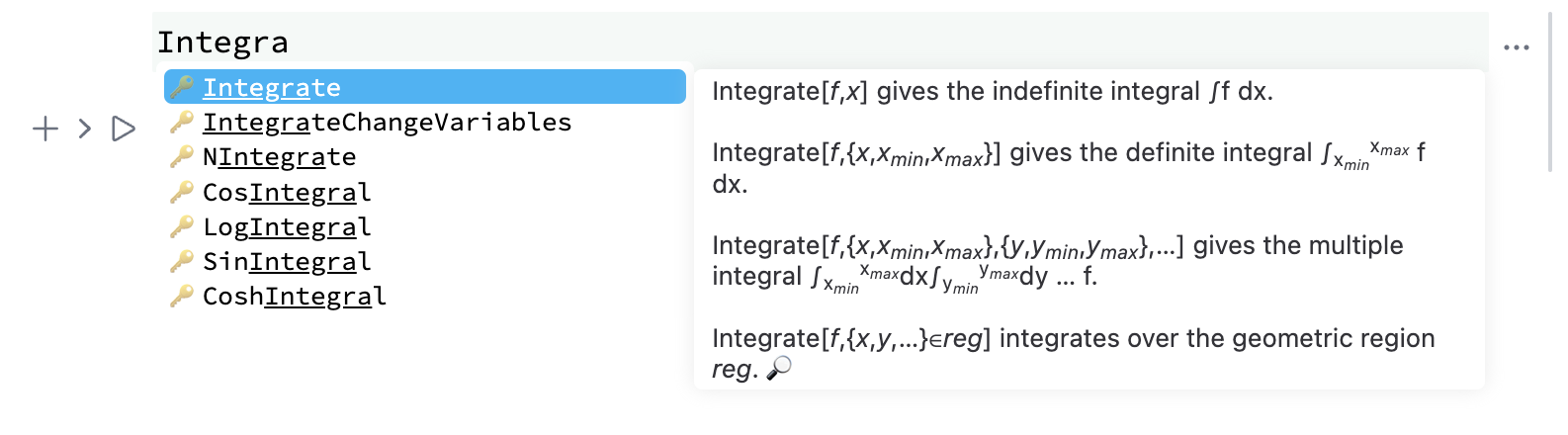
We extended our autocomplete window to work with WLJS specific symbols. Clicking on 🔎 icon will pop up a window with our documentation search results:
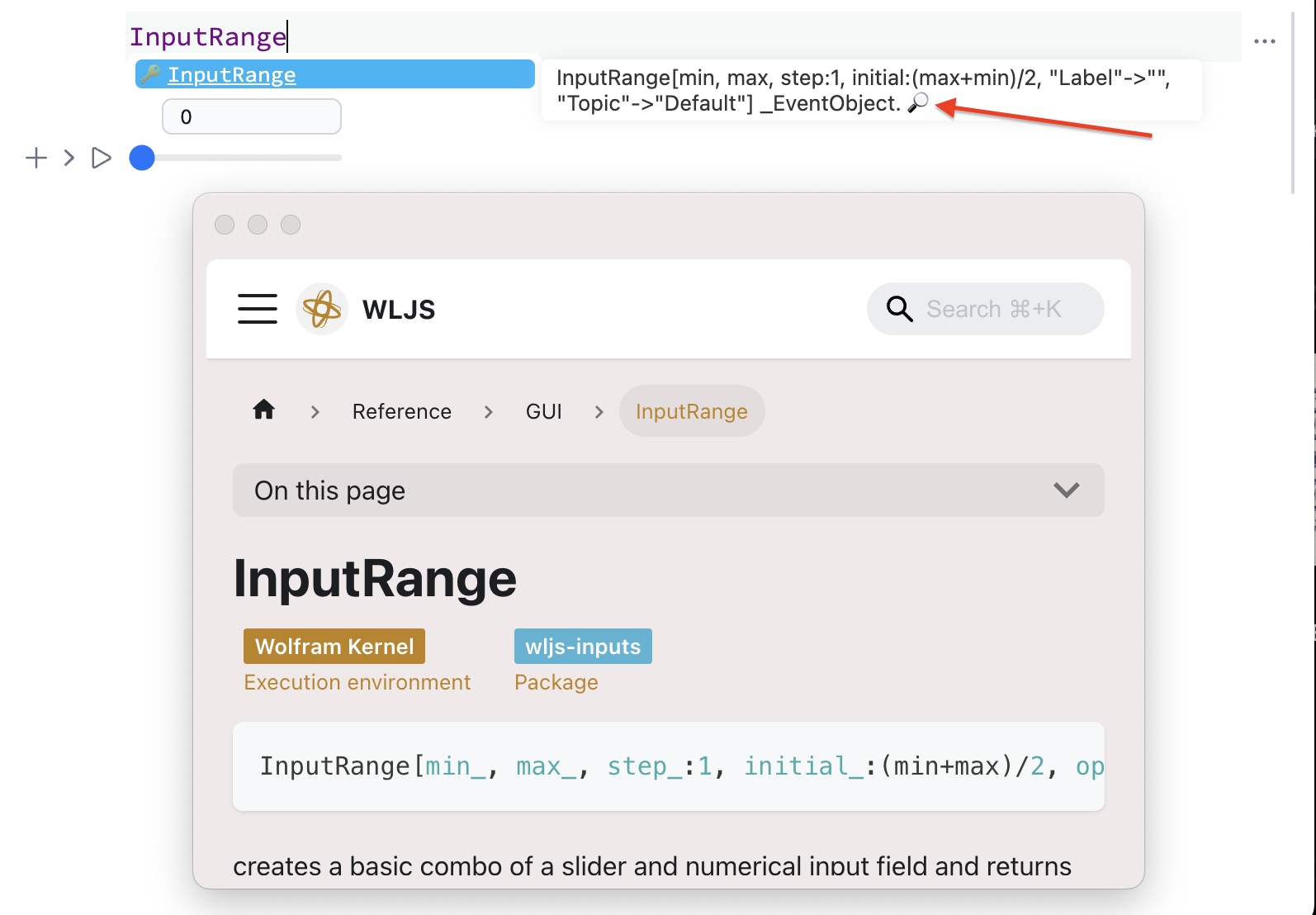
For Wolfram Language standard symbols an official WR documentation will be opened.
Pasting Mathematica code
When you copy code from Wolfram Language documentation it may include some special elements like compressed graphics expressions or other, which can be understood by Mathematica, but not WLJS.
We added a special handler for such cases, that will automatically convert expressions using a local kernel:
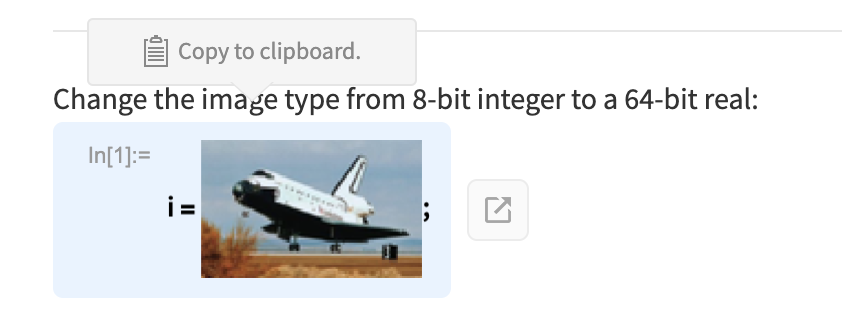
i=(*VB[*)(FrontEndRef["a08ba99a-3516-4aa4-a284-d753c6a25ee2"])(*,*)(*"1:eJxTTMoPSmNkYGAoZgESHvk5KRCeEJBwK8rPK3HNS3GtSE0uLUlMykkNVgEKJxpYJCVaWibqGpsamumaJCaa6CYaWZjoppibGiebJRqZpqYaAQCDiRWa"*)(*]VB*); Make sure, that any kernel is connected to a notebook
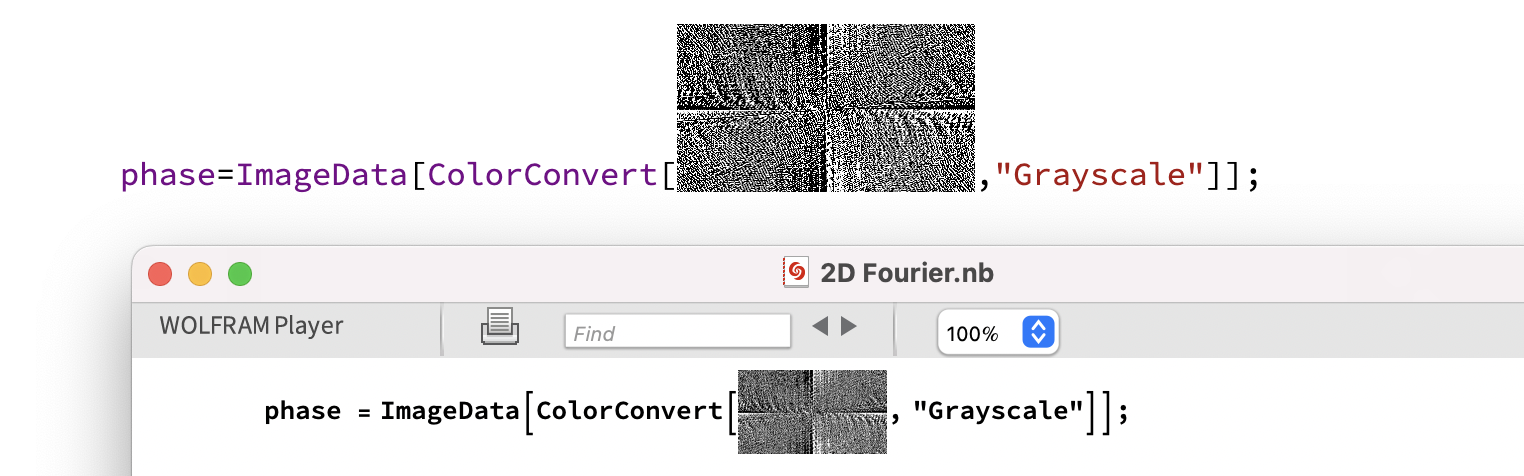
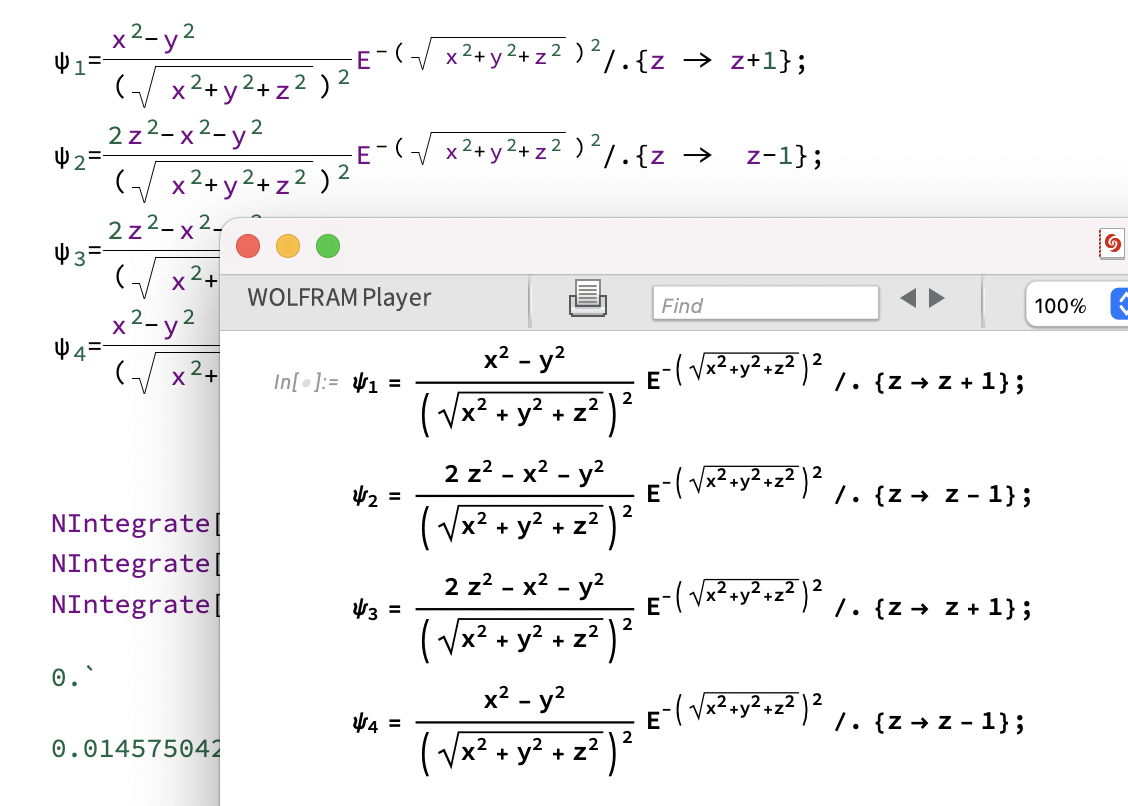
This also works with Mathematica or Wolfram Player directly:
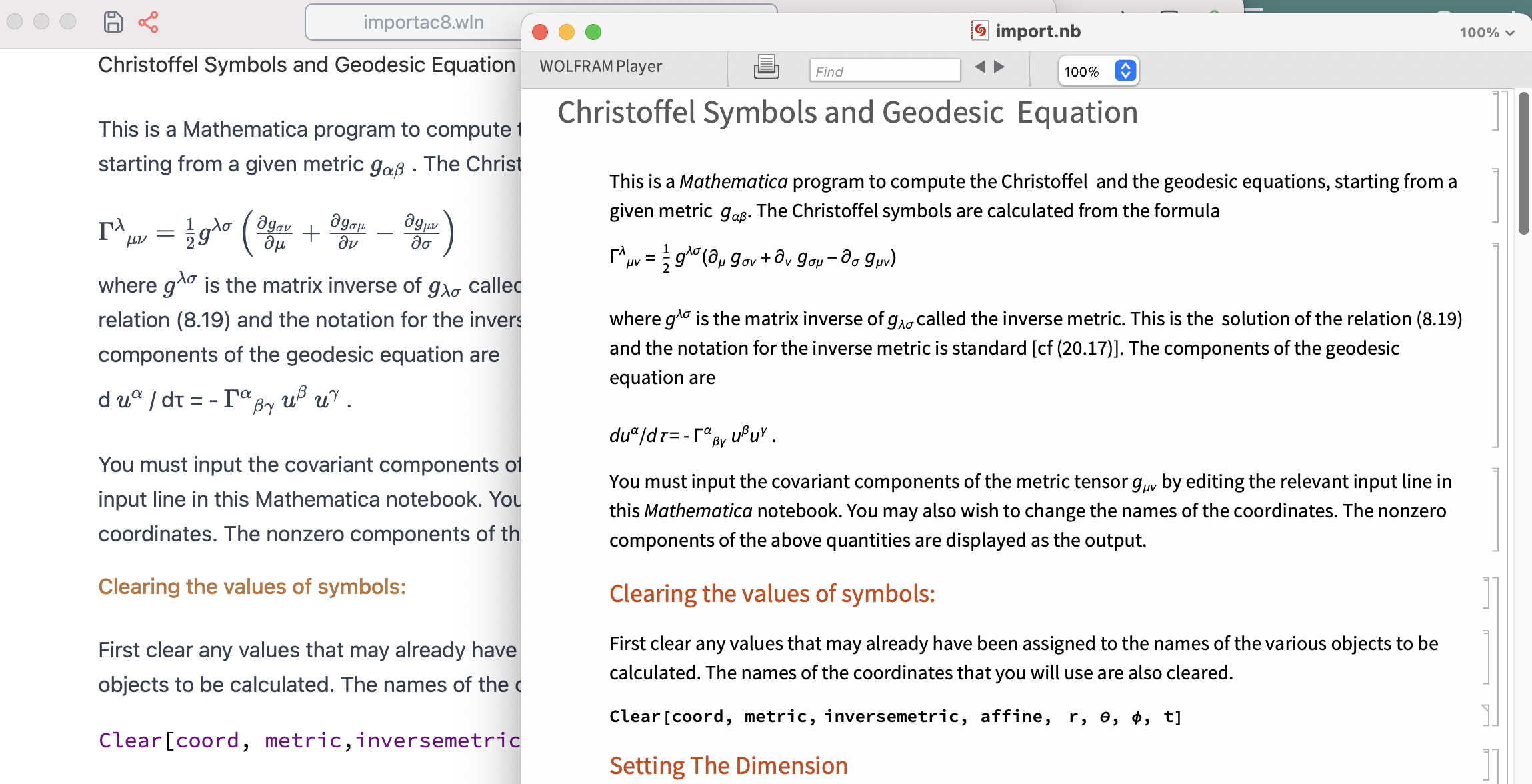
Better support of Mathematica notebooks
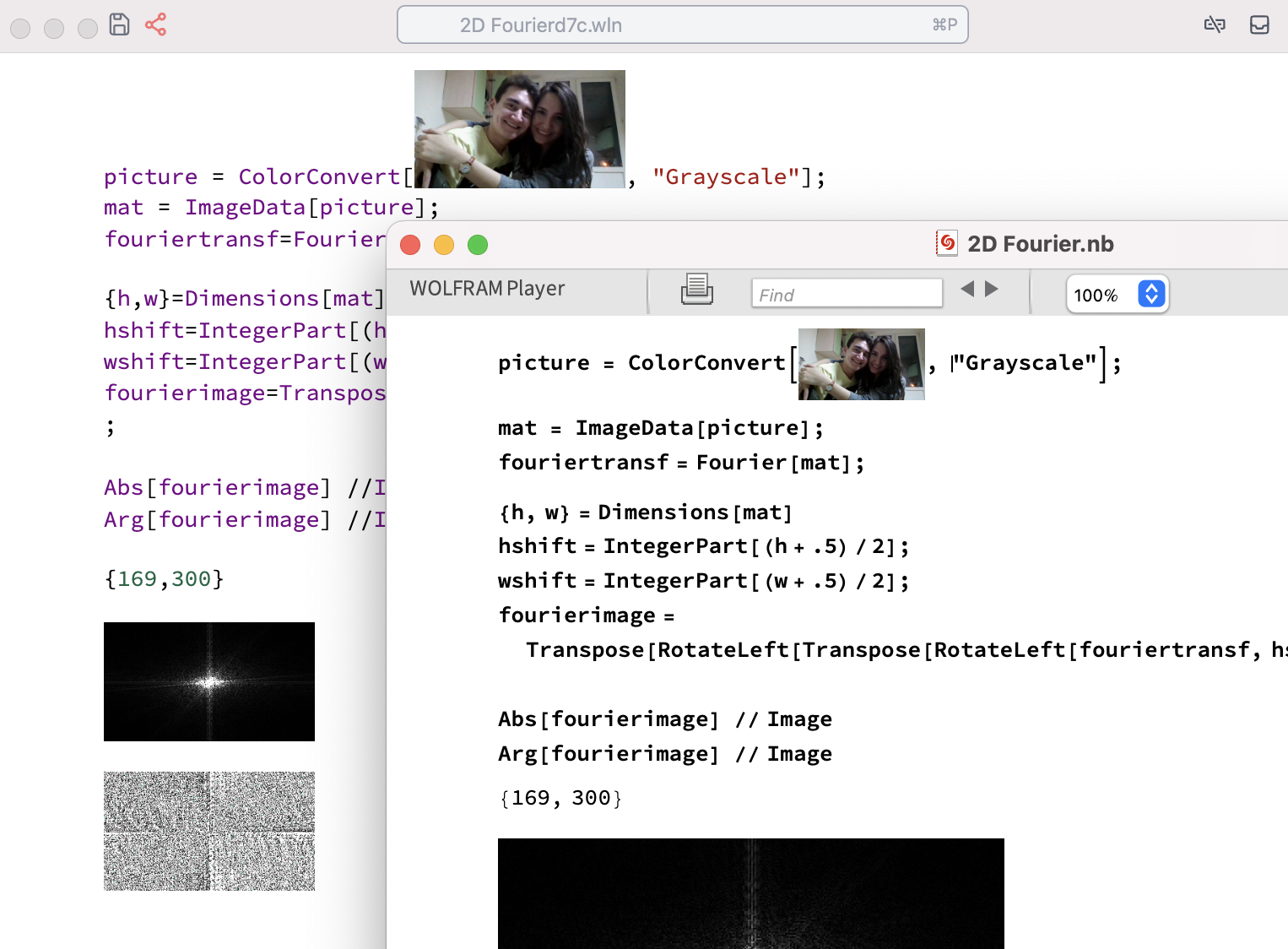
We made quite a big step towards .nb format by writting a custom Box converter from StandardForm of Mathematica to StandardForm of WLJS Notebook. Here are some examples:
Drag event expansion
You might have already used the drag event handler on some graphics primitives. We have extended it with a sibling event, dragsignal. Here is the catch:
dragsignal allows you to capture a drag event without actually dragging the graphics primitive. Why bother? It gives you manual control over the position of the primitive, for example, for constrained dragging:
outer = RegionDifference[
  Rectangle[{-1,-1}, {1,1}],
  RegionUnion[
    Rectangle[{-0.9,-0.9}, {0.9,-0.4}]  ,
    Rectangle[{0.4,-0.9}, {0.9,0.4}]
  ]
];

outer = Rationalize[outer, 0]; (* WL14 bug *)
RegionPlot[outer];

distanceOp = RegionDistance[outer, Translate[Rectangle[-{0.2,0.2}, {0.2,0.2}], #]]&;

rect = {0.65, 0.15};

RegionPlot[outer, Epilog->{
  Red,
  Translate[EventHandler[
    Rectangle[-{0.2,0.2}, {0.2,0.2}],
    {"dragsignal" -> Function[target,
      rect = {
        If[distanceOp[{target[[1]], rect[[2]]}] > 0.01,
          target[[1]]
        ,
          FixedPoint[If[distanceOp[{#, rect[[2]]}] > 0.01,
             # + 0.01 (target[[1]] - #)
          ,
             #
          ]&, rect[[1]]] - 0.01 (target[[1]] - rect[[1]])
        ],
        If[distanceOp[{rect[[1]], target[[2]]}] > 0.01,
          target[[2]]
        ,
          FixedPoint[If[distanceOp[{rect[[1]], #}] > 0.01,
             # + 0.01 (target[[2]] - #)
          ,
             #
          ]&, rect[[2]]] - 0.01 (target[[2]] - rect[[2]])
        ]
      }
    ]}
  ], Offload[rect]]
}]
(*VB[*)(FrontEndRef["2e319608-437e-401d-9e6e-2f9e5156e8f4"])(*,*)(*"1:eJxTTMoPSmNkYGAoZgESHvk5KRCeEJBwK8rPK3HNS3GtSE0uLUlMykkNVgEKG6UaG1qaGVjomhibp+qaGBim6FqmmqXqGqVZppoampqlWqSZAAB1NhUo"*)(*]VB*) Evaluate the cell above and try to drag a rectangle. When you drag, it esimates the distance to the cutout and manually moves a rectangle to the closest position allowed.
Code Formatter
We have improved our code formatter, which relies on the official CodeFormatter package:

It was broken for a long time, but now it can correctly escape our syntax sugar.
InformationData
We removed our representation of Information in a favour of Wolfram's standard one:
?Integrate (*VB[*)(FrontEndRef["57588672-b8c7-443f-996e-b085b8c08b87"])(*,*)(*"1:eJxTTMoPSmNkYGAoZgESHvk5KRCeEJBwK8rPK3HNS3GtSE0uLUlMykkNVgEKm5qbWliYmRvpJlkkm+uamBin6VpamqXqJhlYmAKFDCySLMwBc/UVCg=="*)(*]VB*) As a drawback: it is picture and non-interactable.
Documentation
New examples, new tutorials!
See how to port or optimize dynamics from Mathematica to WLJS:
https://wljs.io/frontend/Advanced/Dynamics/Porting%20from%20MMA/
Better Autocomplete
We reformatted all autocomplete info boxes to make it beautiful:
Better support of PlotLabel and Inset
There was a complain, why in WLJS all labels have to be string. We changed that:
Plot[(*SpB[*)Power[x(*|*),(*|*)2](*]SpB*) - x, {x,0,10}, PlotLabel->HoldForm[(*SpB[*)Power[x(*|*),(*|*)2](*]SpB*) - x]] (*VB[*)(FrontEndRef["9ead7a02-c4a0-46ae-b87e-94f7bce1d609"])(*,*)(*"1:eJxTTMoPSmNkYGAoZgESHvk5KRCeEJBwK8rPK3HNS3GtSE0uLUlMykkNVgEKW6YmppgnGhjpJpskGuiamCWm6iZZmKfqWpqkmSclpxqmmBlYAgCRUBY2"*)(*]VB*) The same counts for Inset:
Graphics[{Circle[], Inset[x^2 + y^2 == 1, {0, 0}]}, ImageSize->Small] (*VB[*)(Graphics[{Circle[{0, 0}], Inset[x^2 + y^2 == 1, {0, 0}]}, ImageSize -> Small])(*,*)(*"1:eJxTTMoPSmNkYGAoZgESHvk5KWlMIB4HkHAvSizIyEwuhoiA5H0yi0sgqtmAhHNmUXJOKqpsJpBmABMQcVYg4ZlXnFqC4LoWlibmIHQF5JQWIyQD8stTi4pBVlRkMqGYgpCpBMtkMsKlcVkOEg8qzUkt5gS5IjcxPTU4syoVbFpwbmJODgC9Ji4Y"*)(*]VB*) Inset supports Image, Image3D, Graphics, Graphics3D, and any WLJS Functions defined as well. If the expression is undefined a standard form will be shown
Better ticks for 3D plots
It is only getting better ;)
Plot3D[ (x^2 + y^2) Exp[1 - x^2 - y^2], {x, -3, 3}, {y, -3, 3},
 MeshFunctions -> {#3 &}, ColorFunction->Hue, Mesh -> 8, MeshShading -> {Automatic, None},
  PlotPoints -> 50]
(*VB[*)(FrontEndRef["42fca676-1465-42ba-b247-fa9133869a50"])(*,*)(*"1:eJxTTMoPSmNkYGAoZgESHvk5KRCeEJBwK8rPK3HNS3GtSE0uLUlMykkNVgEKmxilJSeamZvpGpqYmeqaGCUl6iYZmZjrpiVaGhobW5hZJpoaAAB9CxUS"*)(*]VB*)