Release notes *2.7.4*
Open-Source Community
We joined Open Collective 🎈
WLJS Notebook - Open Collective

Let's dive into release notes
Log plots
We fixed scaling issues with LogPlot and LogLogPlot
LogPlot[(*SpB[*)Power[x(*|*),(*|*)2](*]SpB*), {x,0,1}] (*VB[*)(FrontEndRef["2ada88d8-e525-4c55-bfbd-d08aab31a0cc"])(*,*)(*"1:eJxTTMoPSmNkYGAoZgESHvk5KRCeEJBwK8rPK3HNS3GtSE0uLUlMykkNVgEKGyWmJFpYpFjoppoameqaJJua6ialJaXophhYJCYmGRsmGiQnAwCQsBaC"*)(*]VB*) ImageSizeRaw
A new option of Graphics is supported to make it easier to overlay raster graphics with lines and user primitives. The major differences compared to ImageSize are:
- It considers the pixel density ratio of the screen.
- It guarantees that the canvas size will match exactly with
ImageSizeRaw.
For example, it allows for creating complex plots that combine Image and Graphics using Inset:
some interpolated data
fmo = { (*VB[*)(Get[FileNameJoin[{".iconized", "None-b5c.wl"}]])(*,*)(*"1:eJxTTMoPSmNhYGAo5gUSYZmp5S6pyflFiSX5RcEcQBHP5Py8zKrUlMyMI0wMaUwghSDVQaU5qcGsQIZPYlJqTjBIyC8/LxVNAYjhlpmTChYJKSpNBQDEQxmP"*)(*]VB*), (*VB[*)(Get[FileNameJoin[{".iconized", "None-96e.wl"}]])(*,*)(*"1:eJxTTMoPSmNhYGAo5gUSYZmp5S6pyflFiSX5RcEcQBHP5Py8zKrUlMyMI0wMaUwghSDVQaU5qcGsQIZPYlJqTjBIyC8/LxVNAYjhlpmTChYJKSpNBQDEQxmP"*)(*]VB*)}; With[{f1 = (*VB[*)(Get[FileNameJoin[{".iconized", "None-b5c.wl"}]])(*,*)(*"1:eJxTTMoPSmNhYGAo5gUSYZmp5S6pyflFiSX5RcEcQBHP5Py8zKrUlMyMI0wMaUwghSDVQaU5qcGsQIZPYlJqTjBIyC8/LxVNAYjhlpmTChYJKSpNBQDEQxmP"*)(*]VB*), f2 = (*VB[*)(Get[FileNameJoin[{".iconized", "None-96e.wl"}]])(*,*)(*"1:eJxTTMoPSmNhYGAo5gUSYZmp5S6pyflFiSX5RcEcQBHP5Py8zKrUlMyMI0wMaUwghSDVQaU5qcGsQIZPYlJqTjBIyC8/LxVNAYjhlpmTChYJKSpNBQDEQxmP"*)(*]VB*)}, NumericArray[255.0 Table[
Clip[{f1[{x,y}], 0, f2[{x,y}]}/100.0, {0,1}]
, {y, 0, 5.0, 0.02}, {x, 10, 120, 0.3}] // Reverse
, "UnsignedInteger8", "ClipAndRound"]];
imgWide = Image[%, "Byte"]; overlay it with vector graphics
Graphics[{
  Inset[imgWide, {Mean[{10,120}], Mean[{1,5}]}]
},
  PlotRange->{{10,120}, {1,5}},
  Frame->True, Axes->True,
  ImageSizeRaw->ImageDimensions[imgWide],
  FrameTicksStyle->Directive[FontSize->14],
  FrameStyle->Directive[FontSize->14],
  FrameLabel->{"wavenumber (cm^{-1})", "H (T)"},
  Epilog->{White, AbsoluteDashing[{4}],
    Line[Table[{41.6 + 0.035 x, x}, {x,0,5}]],
    Line[Table[{41.6 - 0.092 x, x}, {x,0,5}]],
    Line[Table[{89.0 + 0.466 1.97 x, x}, {x,0,5}]],
    Line[Table[{89.0 - 0.466 1.90 x, x}, {x,0,5}]],
    Line[Table[{112.6 + 0.466 2.26 x, x}, {x,0,5}]],
    Line[Table[{112.6 - 0.466 2.39 x, x}, {x,0,5}]]
  }
]
(*VB[*)(FrontEndRef["ff318b33-3e0e-4e16-936e-d9a86e45db7b"])(*,*)(*"1:eJxTTMoPSmNkYGAoZgESHvk5KRCeEJBwK8rPK3HNS3GtSE0uLUlMykkNVgEKp6UZG1okGRvrGqcapOqapBqa6Voam6XqplgmWpilmpimJJknAQCF1hXg"*)(*]VB*) UI Update
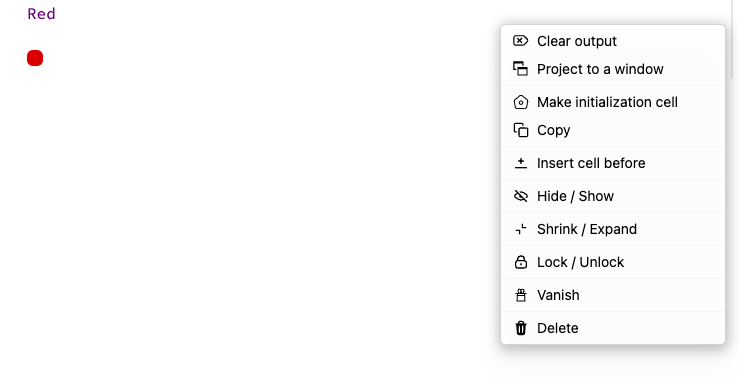
Insert cell before button (was requested via Github issues)
Dataset full support
We have finnaly fixed the most buggy thing we have in WLJS - Dataset. Now it does support nested structures, symbolic keys, Entity, Quantity and etc
ExampleData[{"Dataset","Planets"}] (*VB[*)(FrontEndRef["c824ccdc-c573-4b47-b58b-87b196ec5df0"])(*,*)(*"1:eJxTTMoPSmNkYGAoZgESHvk5KRCeEJBwK8rPK3HNS3GtSE0uLUlMykkNVgEKJ1sYmSQnpyTrJpuaG+uaJJmY6yaZWiTpWpgnGVqapSabpqQZAACNEBYN"*)(*]VB*) Extended MMAView
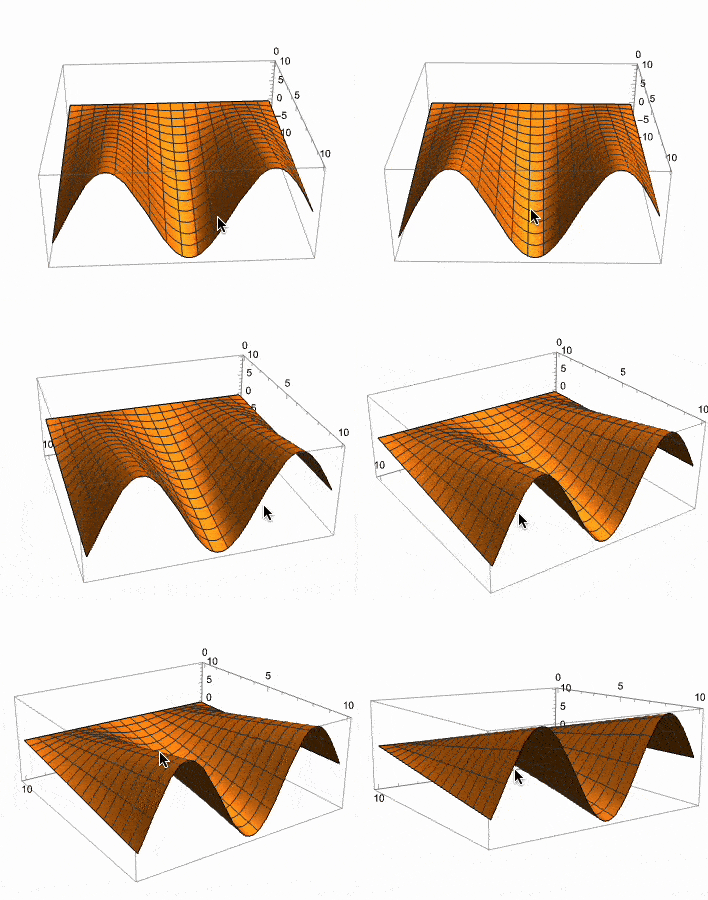
There was a request for interactive native Mathematica's 3D plot. Well, here you go
With[{p = Plot3D[f[x] y, {x,0,10}, {y,0,10}]},
  MMAView[p]
]
Note, that it is important to pass it using With, since MMAView has HoldFirst attribute
Manipulate
Works for 2D, 3D, in general any expression!
Manipulate[Plot3D[Sin[n x] Cos[n y], {x,-1,1}, {y,-1,1}], {n, 1, 5, 1}] // MMAView 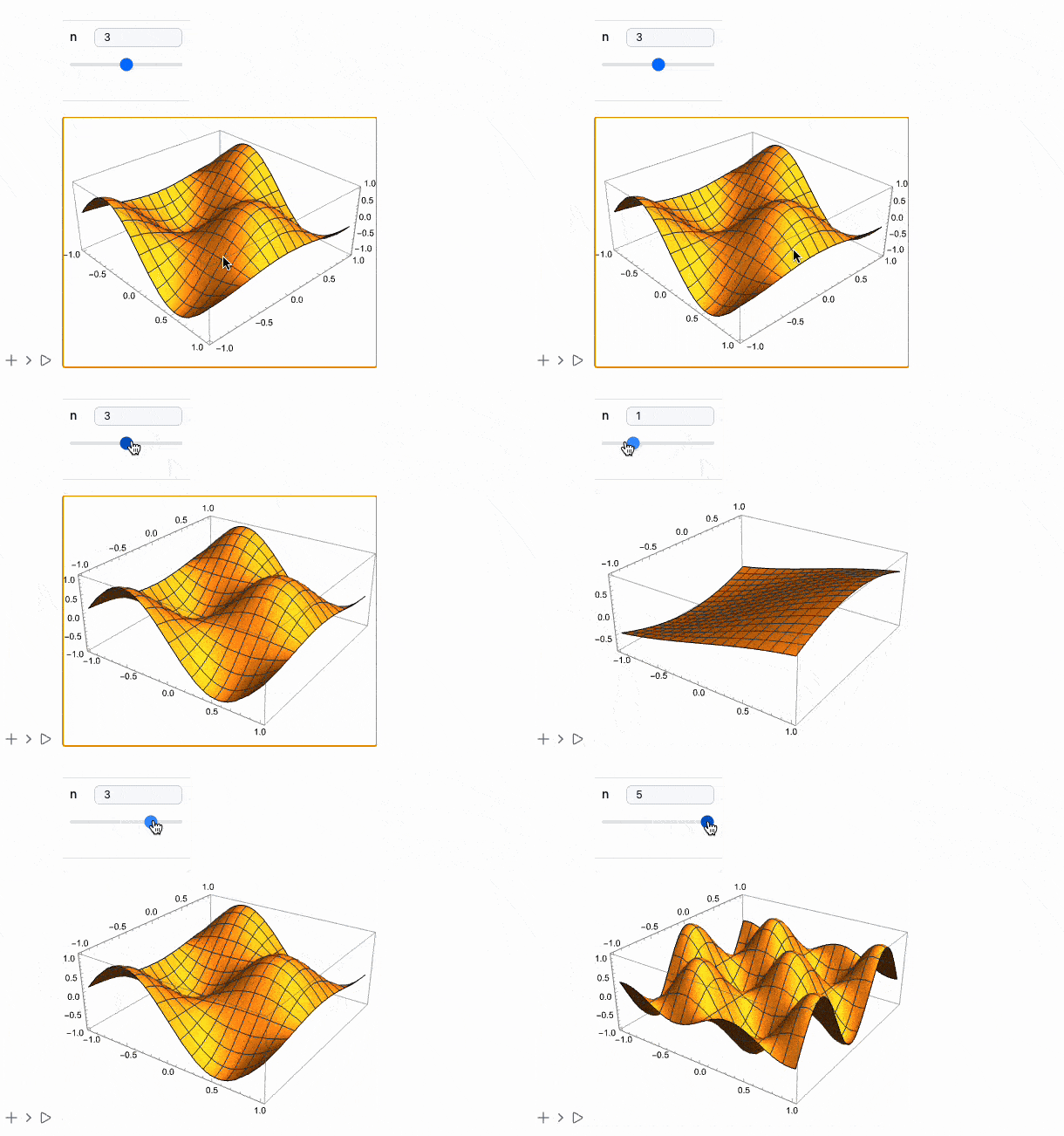
Animate
The same works for it
Animate[Plot[Sin[x y], {x,0,1}], {y,0,5}] // MMAView ListAnimate
We added the support for raster ListAnimate (not related to MMAView)
ListAnimate[Table[Rasterize[Plot[Table[x^k, {k, 1, n}] // Evaluate, {x,0,10}]], {n,1,6}]] Easier REST-API
We refined our REST API and added a helper Javascript class of function to make the process easier. Imagine, you can build up a minimal Notebook interface by youself just in a few lines!
.html

<script type="module">
  const stateField = document.getElementById("stateField"),
        submitButton = document.getElementById("submit_button"),
        codeArea = document.getElementById("code_area"),
        resultsDiv = document.getElementById("resultsDiv");

  async function start() {
    stateField.innerText = 'Connecting to Kernel';

    const kernel = await server.findKernel();
    console.warn('Obtained Kernel', kernel);
    stateField.innerText = 'Ready!';

    submitButton.addEventListener('click', async () => {
      const transaction = await server.createTransaction(kernel, codeArea.value.trim());
      stateField.innerText = 'Evaluation...';

      const results = await server.getResult(kernel, transaction);
      console.warn('Ready');
      stateField.innerText = 'Ready!';

      results.forEach(({ Display = 'codemirror', Data }) => {
        const parentelement = document.createElement('div');
        resultsDiv.appendChild(parentelement);
        new window.SupportedCells[Display].view({ element: parentelement }, Data);
      });
    });
  }

  (async () => {
    await server.waitForConnection();
    start();
  })();
</script>
Yes, apart from header and body parts, that's all you need
MDX/React Integration
This share option lets you embed cells or an entire notebook to MDX-based websites (personal blog or a React App in general).
Here is an online demo of a static website made using Next.js
See our docs for more information
See more here